 Print / Picture / Capture
Default settings for print-outs, pictures and captures.
Options tab > Preferences group >  Preferences > Print/Picture/Capture.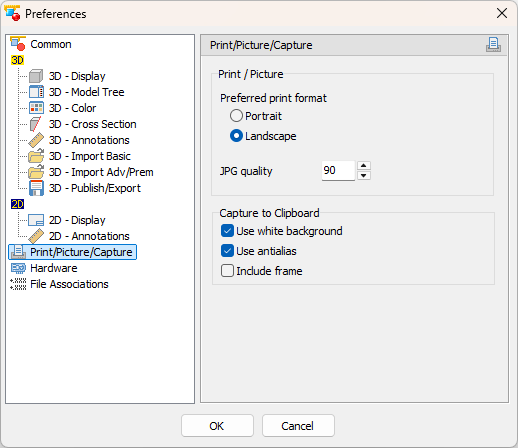
Print /Picture
Change the default settings for print-outs and pictures.
- Preferred print format (Default: Landscape)
Choose the preferred format for printing: Landscape or Portrait - JPG quality (Default: 90)
Set the quality of JPG pictures that were created with 3D-Tool. Possible values are between 30 and 100. Larger values will result in better quality but also in a larger file.
Capture to Clipboard
Settings for capturing sections of the screen to the Clipboard.
- Use white background (Default: Inactive)
Draw a black frame around the captured screenshot. - Use antialias (Default: Active)
Use antialias on the captured screenshot. - Include frame (Default: Inactive)
Draw a black frame around the captured screenshot.