 2D - Display
Default settings of the 2D display when the program is started.
Options tab > Preferences group >  Preferences > 2D - Display.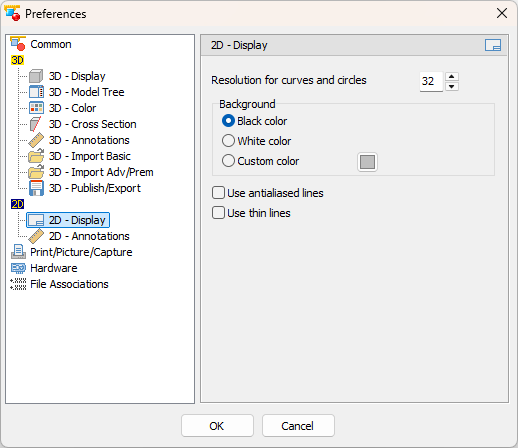
Resolution for curves and circles (Default: 32)
Set the value of the arc resolution. A large value will result in a better display of arcs but reduce the speed of the display.
Background (Default: Black)'
Choose the color for the background at program start-up
- Black
Use a black background. - White
Use a white background. - Custom color
Choose any color for the background. Click the square button to choose the color.
Use antialiased lines (Default: Inactive)
Smooth the display of lines in the drawing.
Use thin lines (Default: Inactive)
At program start-up, show all lines of the drawing with a width of 1 point.