Measure Points
Display the coordinates of points, free points on a surface, and centers of circles.
Click the  Measure/Markup tool in the Tools group. Click the
  Point button to measure edge points or click the little black arrow in the button to select another measure function.
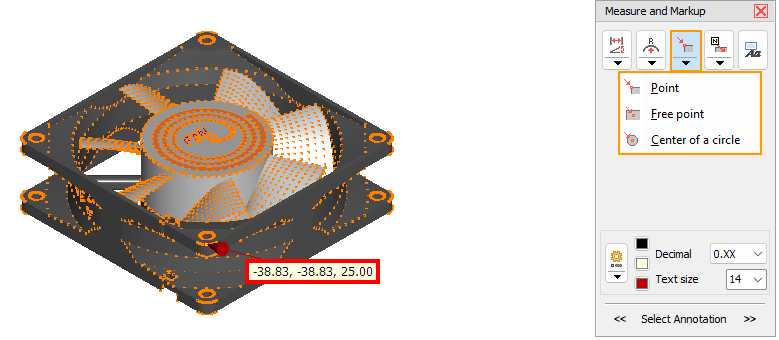

Measure Point
Display the X, Y, and Z-coordinate of point.
To make the selection easier, the points are shown. Points under the cursor will be highlighted in light blue.
Click to select a point.
 Measure Free Point On A Plane
Display the X, Y, and Z-coordinate of a free point on a plane (not an vertex).
Measuring points under the cursor will be highlighted in light blue.
Click to select a point.
 Measure Centers Of Circles
Display the X, Y, and Z-coordinate of the center of a circle.
Circles under the cursor will be highlighted in light blue.
Click to select a circle.