Change the Width of the Side Panel
Adjust the width of the right side panel to your personal needs.
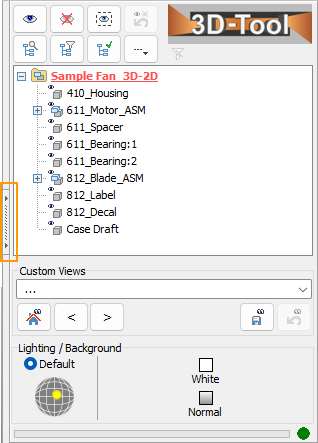
Show and hide the side panel
To hide and show the side panel, click on the button on the left side of the list.
Adjust the size
The size of the side panel can be changed. Place the cursor on the left border of the bar and, after the cursor has changed into the <||> icon, hold down the left mouse button and drag the border.