 Save as ... STL, VRML, 3DS, PLY, OBJ, U3D (not available with the Free Viewer and EXE files)
Save a 3D model or 2D drawing under a new name and in one of the available file formats.
Save a model or drawing by clicking Save as ... in the File tab, and then select a model or drawing from the list.
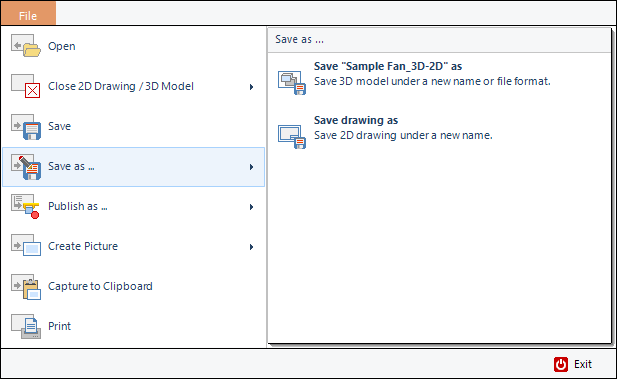
File Formats Available For Export
3D-models
For 3D-models the following file formats are available for export:
- 3D-Tool DDD file *.ddd
- Executable *.exe
- 3D-Studio file *.3ds
- OBJ file *.obj
- PDF file *.pdf
- PLY file *.ply
- STL binary file *.stl
- U3D file *.u3d
- VRML 2.0 file *.wrl
2D-drawings
For 2D-drawings the following file formats are available for export:
- 3D-Tool DDD file *.ddd
- Executable *.exe
 Note
Note
- The 3D-Tool Viewer principally exports faceted models (meshes) and no parametric CAD data (BREPs).
- Save as … will only save the selected model or selected drawing. If you want to save multiple models and/or drawings together within one 3D-Tool DDD or EXE file use
 Publish as… from the FILE tab, and choose
  Publish as 3D-Tool File (*.ddd) or
  Publish as Viewer (*.exe).